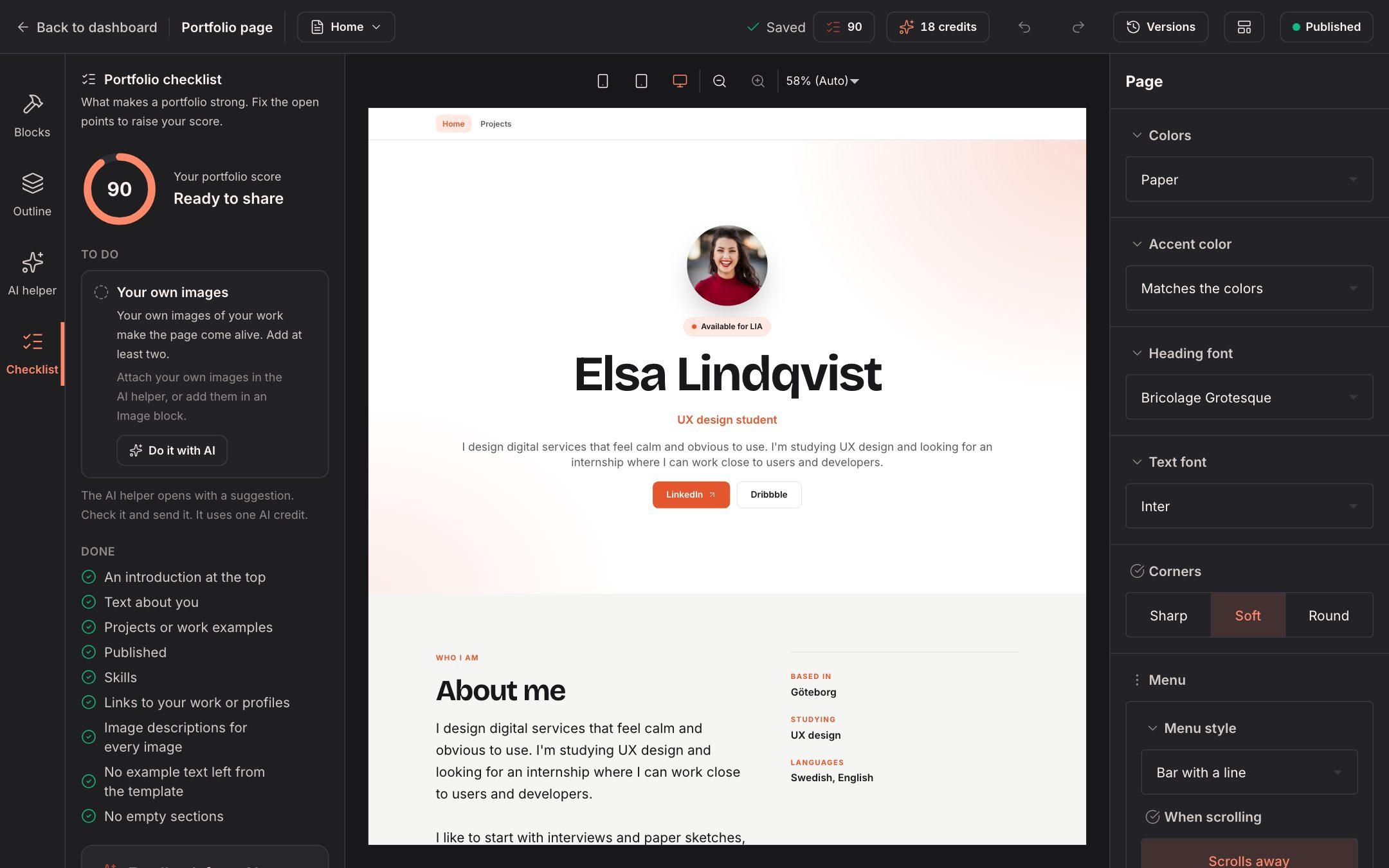
We've had a really fun month, and we can't wait to show you what we've built. This is our biggest update so far: you can now build and publish your own portfolio website, get personal feedback from AI on your profile and see which companies have looked at you. Let's dive in!
Build your own portfolio website (beta)
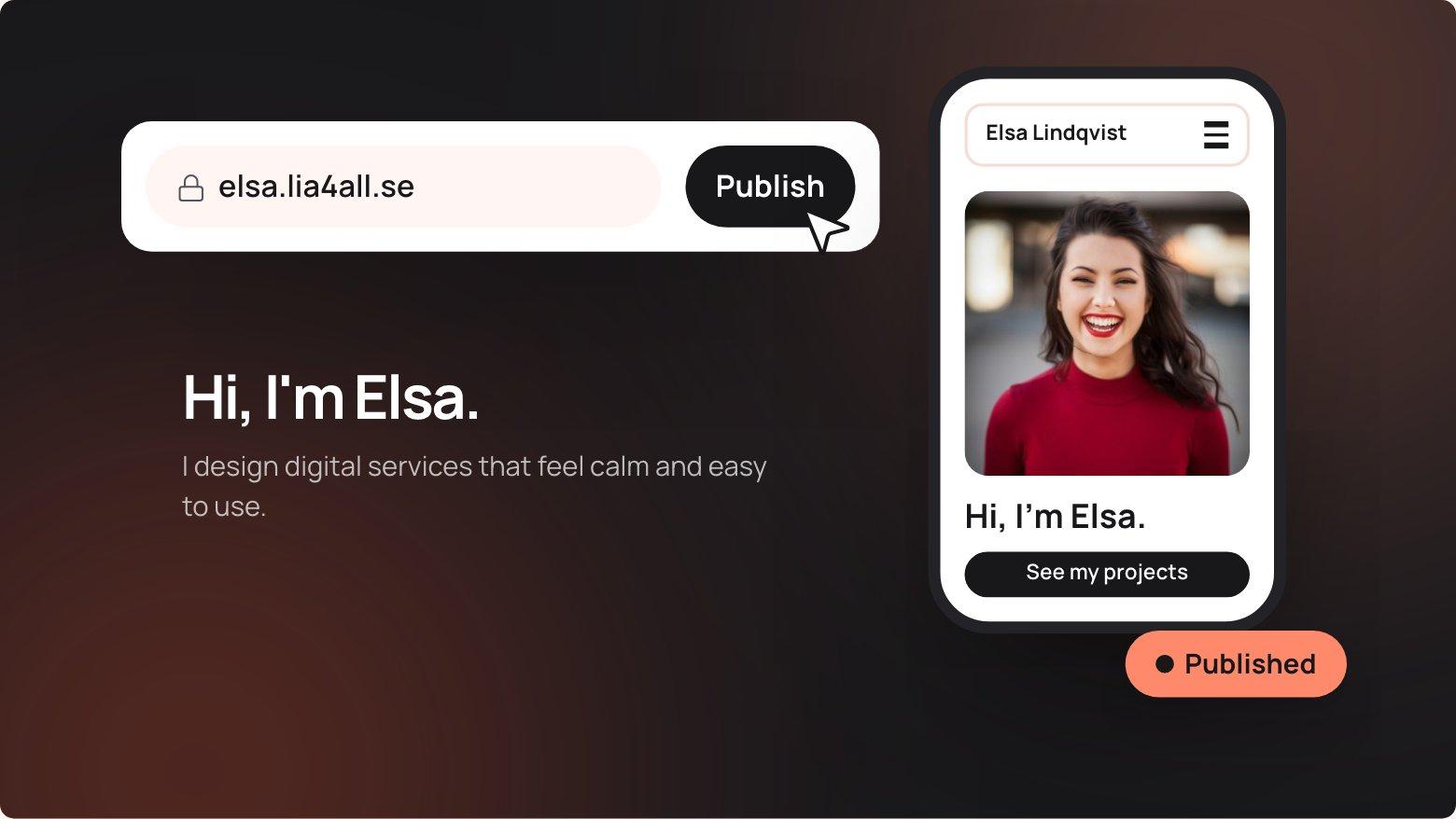
This is the one we're most proud of. With Student Plus, or when your school uses LIA4ALL, you can now build a real website that shows who you are. Pick one of ten templates and it fills itself in from your profile, or start from a blank page. Drag in ready-made sections, projects, timelines, slideshows and videos, and type straight onto the page. No code, no hassle.
Your site can have up to ten pages with a menu you design yourself. Everything saves automatically, and if you change your mind, just go back to an earlier version. The first time you open the editor, a short guide shows you around.
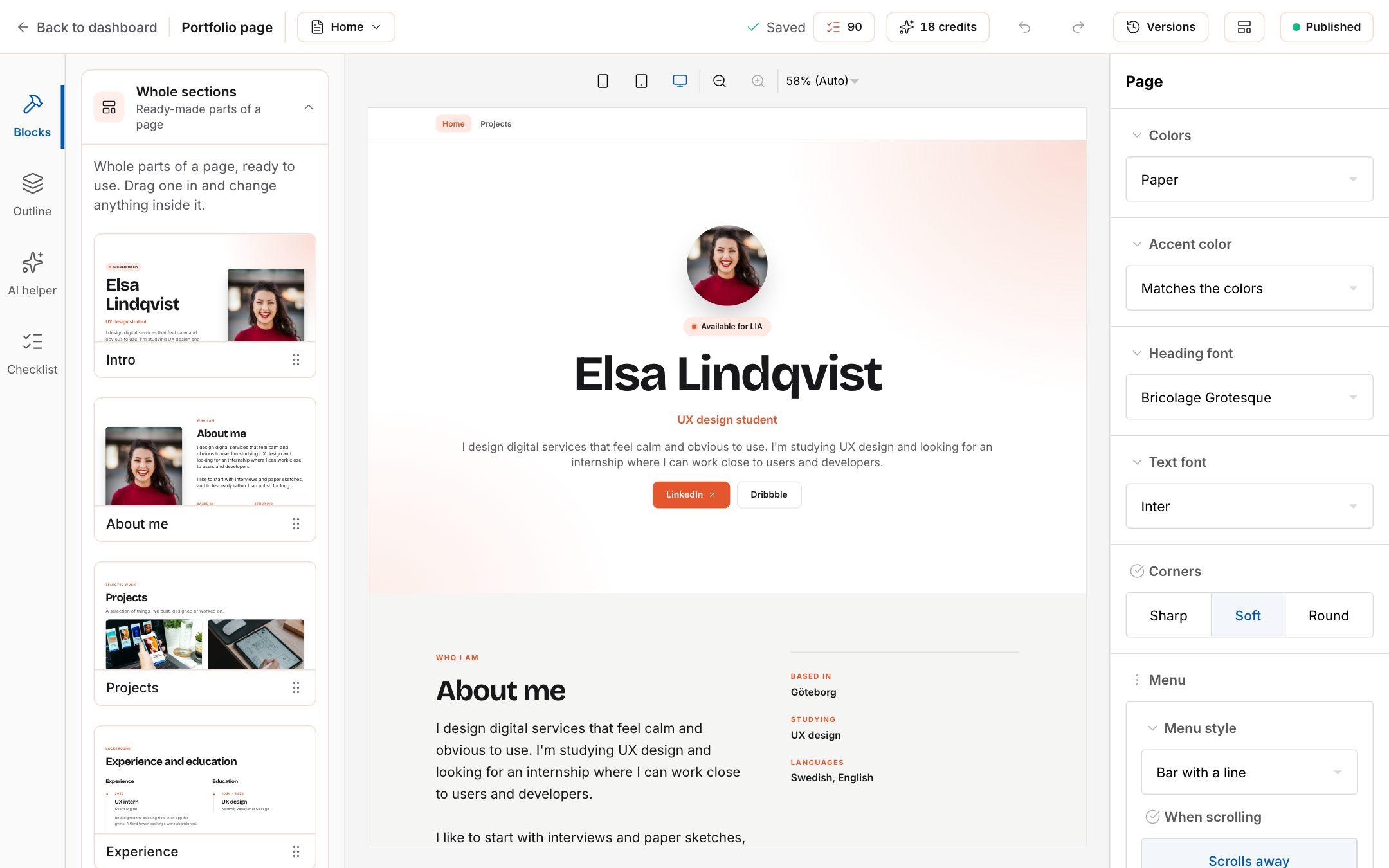
Say what you want, and the AI does it
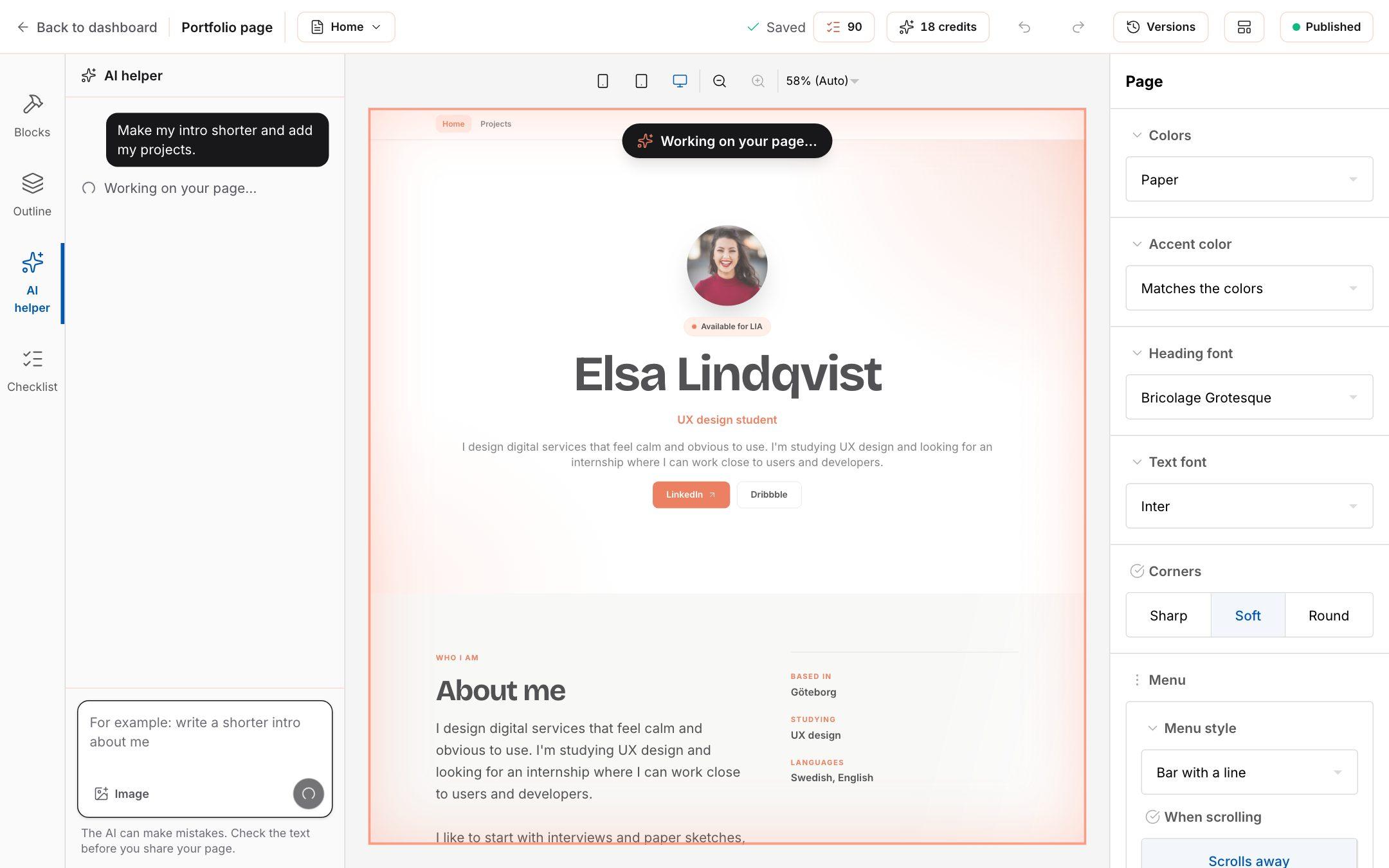
Not sure how to put it into words? Open the AI helper and write what you want, like "make my intro shorter" or "add a page with my projects". The AI changes the page right in front of you, and if you don't like the result, undo it with one click.
Student Plus gives you 20 messages a month. Want more? Buy 50 credits for 49 kr or 100 for 79 kr, and they never run out. If your school uses LIA4ALL, it's unlimited.
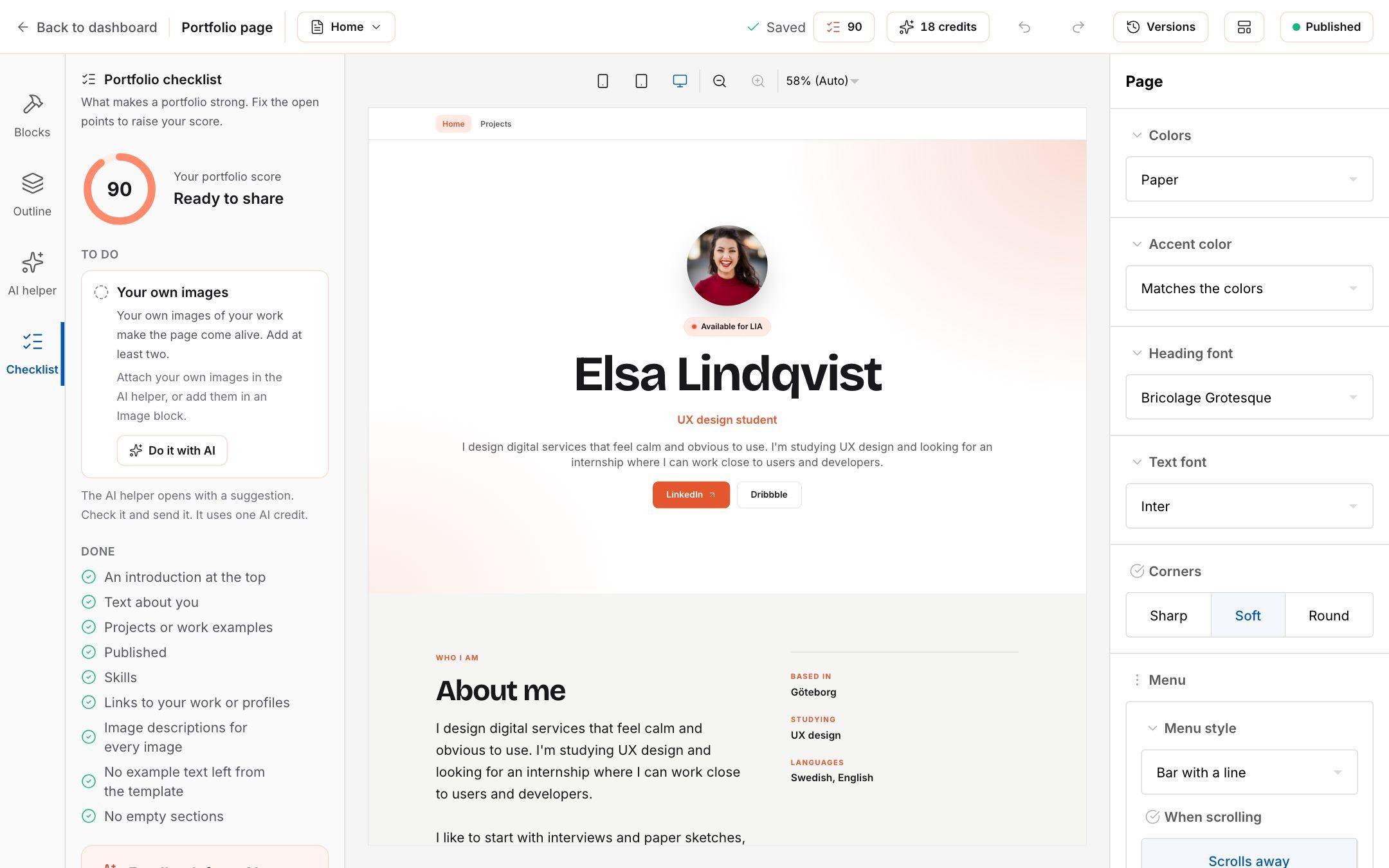
See exactly what's missing
Wondering if your site is ready? The checklist gives it a score from 0 to 100 that updates while you work. It shows exactly what's missing, like projects, your own images or links, and for each point the AI helper can fix it for you. Want an honest take on the whole thing? Get feedback from AI at the bottom.
Your own address on the web
When you're happy, pick an address like yourname.lia4all.se and hit Publish. Done! Visitors only see what you've published, so you can keep polishing at your own pace. Your site doesn't show up in search engines, so you decide who gets the link.
Get your profile ready for companies
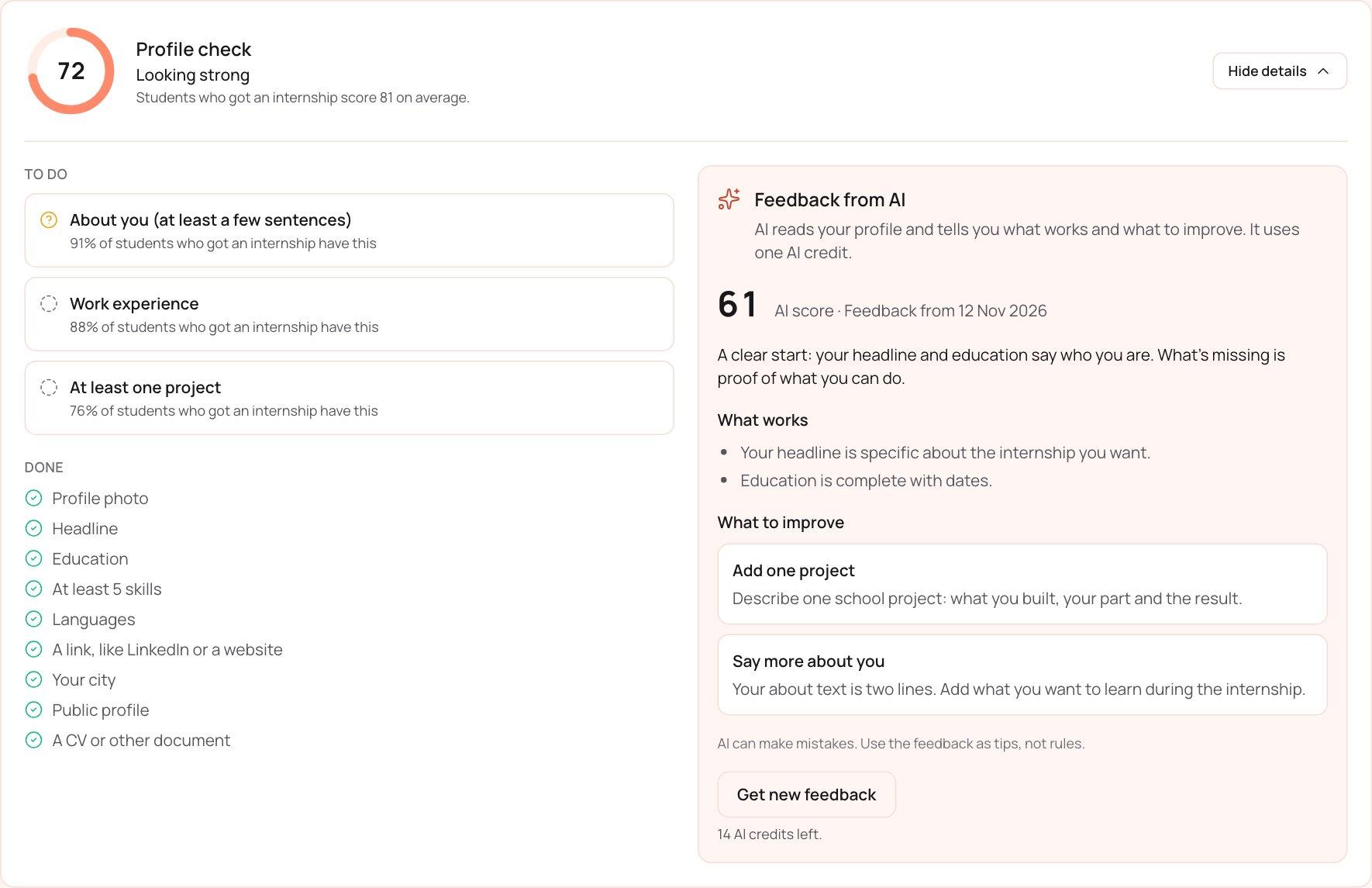
At the top of My profile you now see how ready your profile is, with a score and a list of what's missing. Each point shows how many students who got an internship have it, so you know what actually makes a difference. With one click you also get personal feedback from AI: what already works and what you can do better.
The profile check is part of Student Plus. With a free account you can see what it includes and upgrade right from there.
Even more in Student Plus
Student Plus costs 49 kr a month, and now you get even more for it:
- See which companies viewed your profile in the last 90 days.
- Know when a company has opened your application, so you're never left wondering.
- Upload files up to 25 MB, videos too.
Never miss a new internship
Save a search as an alert and we'll let you know when new internships match it. We check every morning, and alerts are free for every student.
You'll also find more internships than ever: the search now includes ads from Platsbanken, updated every day. More chances, one place.
Cleaner design and dark mode
We've also polished lots of details. Profiles without a cover image have a fresh new look, filters and sorting are easier to read, and selections now light up in our coral. And for the night owls: the portfolio editor now works fully in dark mode.
There's a lot more on the way. Got ideas or wishes? Tell us through Support, we read everything.